
Trading Settings
Send /settings, tap HQ → Settings, or use Settings inside a position.
Slippage and priority fees explained
Section titled “Slippage and priority fees explained”Your Buy / Sell Slippage setting is the maximum tolerance you are willing to accept—not the default tolerance applied to every trade. Slippage tolerance limits how much worse the execution result can be than the quote. It is not an extra fee.
Trenchy automatically tries to optimize the effective tolerance for your specific trade using supported providers’ estimates for the current quote, route, and trade size. A tighter tolerance aims to reduce unnecessary exposure to MEV (maximal extractable value): value other participants can gain by controlling the order of transactions. A sandwich attack places trades before and after yours to profit from moving your execution price. Trenchy cannot guarantee the best possible tolerance, successful execution, or protection from every MEV attack.
For example, with a 5% maximum, Trenchy may select 1% effective slippage for a trade. Your settings and the confirmation still show your 5% maximum; the confirmation does not display the tighter internal value. Trenchy will not silently increase your maximum. If an estimate exceeds it, you can use Increase slippage to edit that side’s maximum, review your settings, or try a smaller trade. Changing the maximum is your choice; it does not guarantee execution.
When estimation is unavailable or unsupported for a route, Trenchy can use your configured maximum instead. Price impact is assessed separately: it describes how much your trade moves the pool price, rather than being the formula for slippage. Review both on the quote before confirming.
A priority fee is extra SOL paid to help your transaction get processed sooner on Solana, especially when the network is busy. A higher fee can improve its priority, but does not guarantee speed or success. Choose a preset or enter a custom amount, and review the displayed fee before trading.
Execution and presets
Section titled “Execution and presets”Trenchy recommends a 5% maximum for buys and a 10% maximum for sells. New-user slippage defaults use these values, subject to the server limit. Existing saved preferences are preserved.
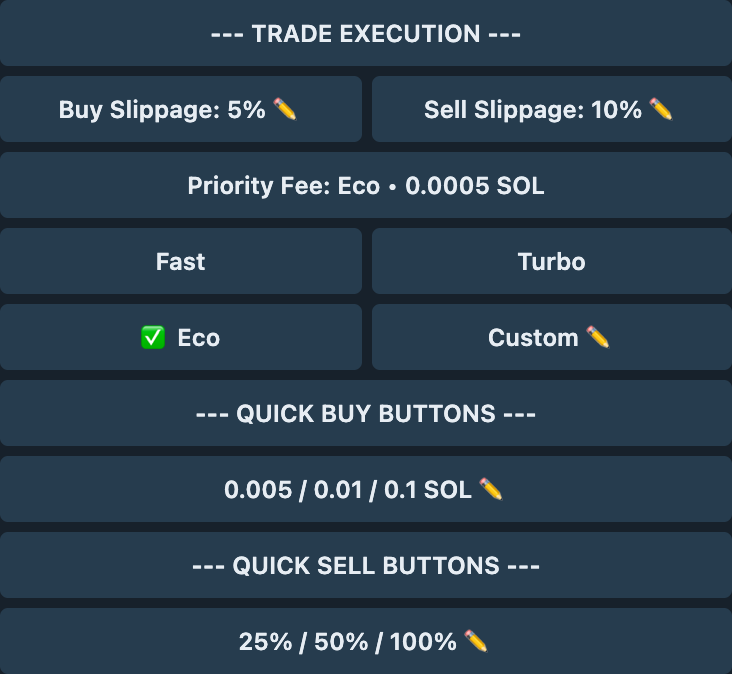
| Setting | What it changes |
|---|---|
| Buy / Sell Slippage | Your maximum accepted tolerance for each side. Trenchy attempts to select a tighter effective tolerance within that limit. |
| Priority Fee | Choose Eco, Fast, Turbo, or Custom. The selected fee is shown in SOL. |
| Quick Buy Buttons | The three preset SOL amounts shown on trade panels. |
| Quick Sell Buttons | The three preset percentages of your token balance. |
Tap a ✏️ control to enter a custom value. The screenshot shows example preferences, not recommended settings.
Automation, display, and safety
Section titled “Automation, display, and safety”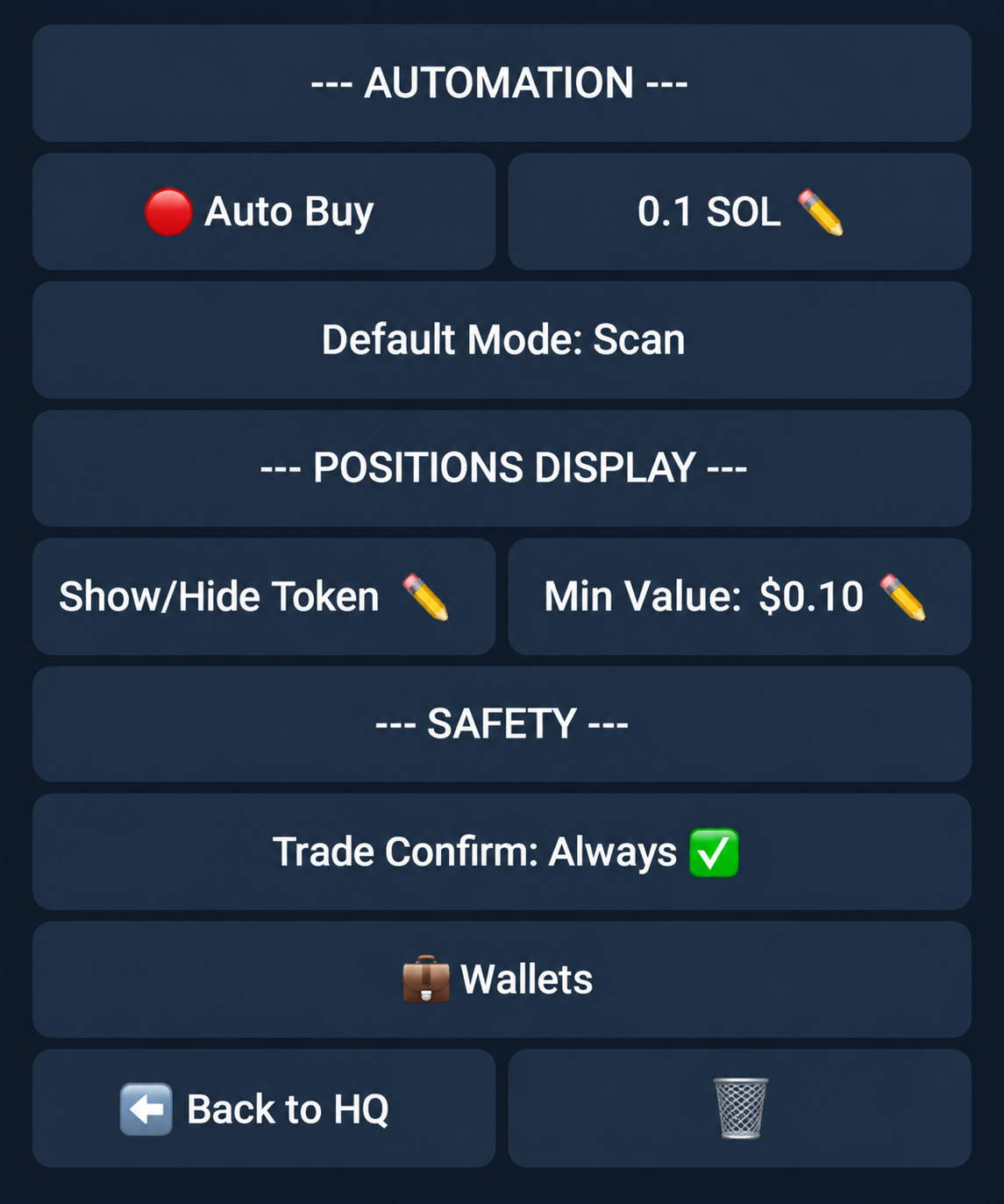
| Setting | What it changes |
|---|---|
| Auto Buy / amount | Automatically prepares a buy quote for the configured amount; confirmation rules still apply. |
| Default Mode: Scan / Trade | What happens when you send a bare token address. |
| Show/Hide Token / Min Value | Which positions appear in your list. Visibility guide. |
| Trade Confirm: Always | Review the quote before execution. |
| Trade Confirm: Off | Eligible quotes can submit automatically; additional warnings may still need approval. |
| Wallets | Open wallet management. |
| Back to HQ / 🗑 | Return to HQ or close the message. |