
SOL reclaim
When you buy or receive a token on Solana, it is held in a separate token account linked to your wallet. An account derived for your wallet and the token is called an associated token account (ATA). Creating that account requires a small SOL deposit, called rent, to keep its data on the blockchain.
Selling all of a token does not always close its token account. The empty account can remain open with that SOL deposit still inside. SOL reclaim closes eligible empty accounts and returns the deposit to your wallet, minus the fees shown in the preview. It does not sell or burn tokens.
Reclaim your SOL
Section titled “Reclaim your SOL”- Open HQ → Manage Wallet → Trench SOL Reclaimer.
- Review the empty accounts and estimated return.
- Tap Confirm Reclaim to close the displayed batch.
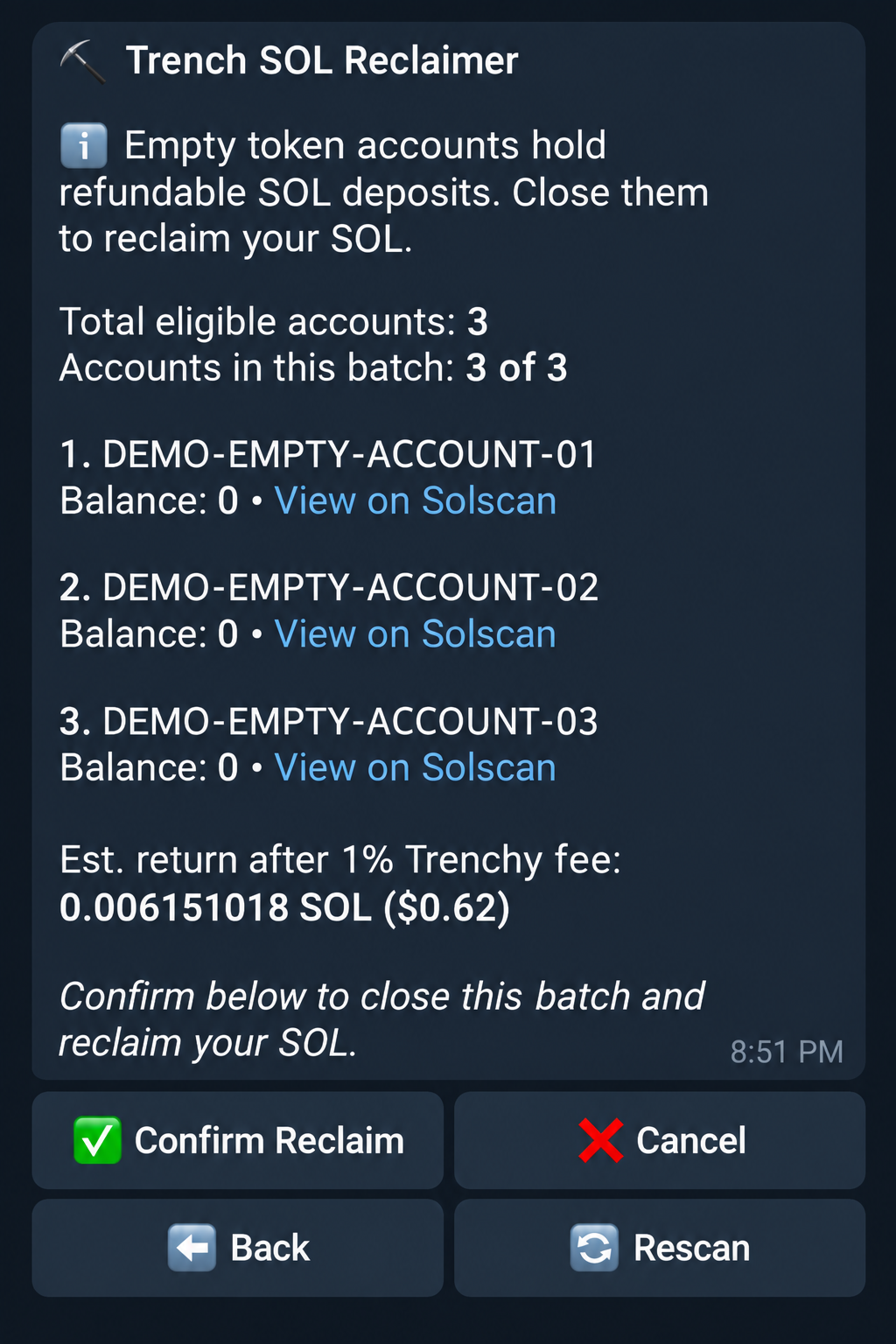
| Field / button | Meaning |
|---|---|
| Total eligible accounts | Empty accounts that qualify for reclaim. |
| Accounts in this batch | Accounts included in this operation. A batch closes up to 10. |
| Mint / Balance / Solscan | The token mint and zero balance; the link opens its empty token account. |
| Est. return after fee | Estimated SOL returned after the displayed Trenchy fee and estimated network fee. |
| Confirm Reclaim | Submit the account closures. |
| Cancel / Back | Leave without confirming this batch. |
| Rescan | Check again for eligible accounts and updated amounts. |
The default service fee is 1%; the preview shows the current rate. The estimate includes the network fee; if that estimate is unavailable, rescan. Scan again for any remaining accounts.
If no accounts qualify, nothing is closed. If a transaction is submitted or uncertain, check its status before retrying.